Snowflake Integration
Integration of Snowflake with Entropy Data.
When setting up an integration between Entropy Data and Snowflake, we provide two options:
1. Ingestion-based Integration (Built-In)
The integration is managed within Entropy Data. Configure the connection and sync schedule to start syncing with Snowflake.
No additional deployments are needed.
2. Connector-based Integration
Our connectors are based on the Datamesh Manager SDK and provide support for more use cases. You get the asset syncing capabilities of the ingestion-based integration, plus direct integration with Snowflake permissions. Changes through the Access Approval Workflow can be dynamically applied to Snowflake user permissions.
If you have a complex network topology or direct integration with Entropy Data is not possible due to governance restrictions, the Snowflake connector can be deployed in a DMZ of your network to provide additional security.
| Feature | Ingestion-based Integration | Connector-based Integration |
|---|---|---|
| Direct integration into Entropy Data | ✅ | |
| Syncing of assets | ✅ | ✅ |
| Syncing of permissions | ✅ | |
| Complete control of deployment | ✅ | |
| Support for different network topologies | ✅ |
1. Ingestion-based Integration
You can directly integrate Snowflake with Entropy Data.
Prerequisites
You need an Entropy Data Enterprise License or the Cloud Edition. To enable the integration, set APPLICATION_INGESTIONS_ENABLED to true in your environment. See Configuration for more information.
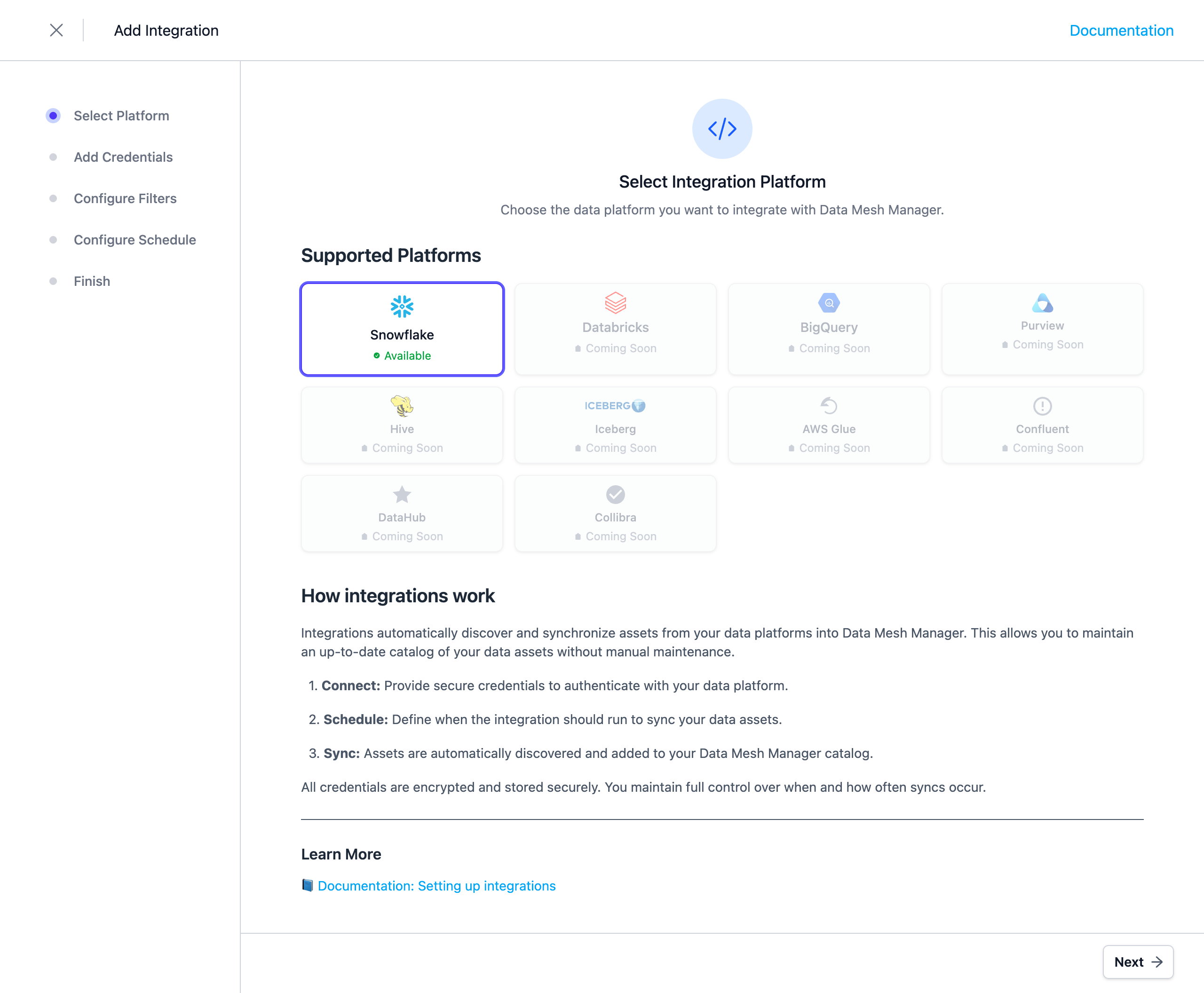
To start, navigate to Settings > Integrations > Add Integration.
This opens a wizard that guides you through configuring the integration.
Select the Integration Type
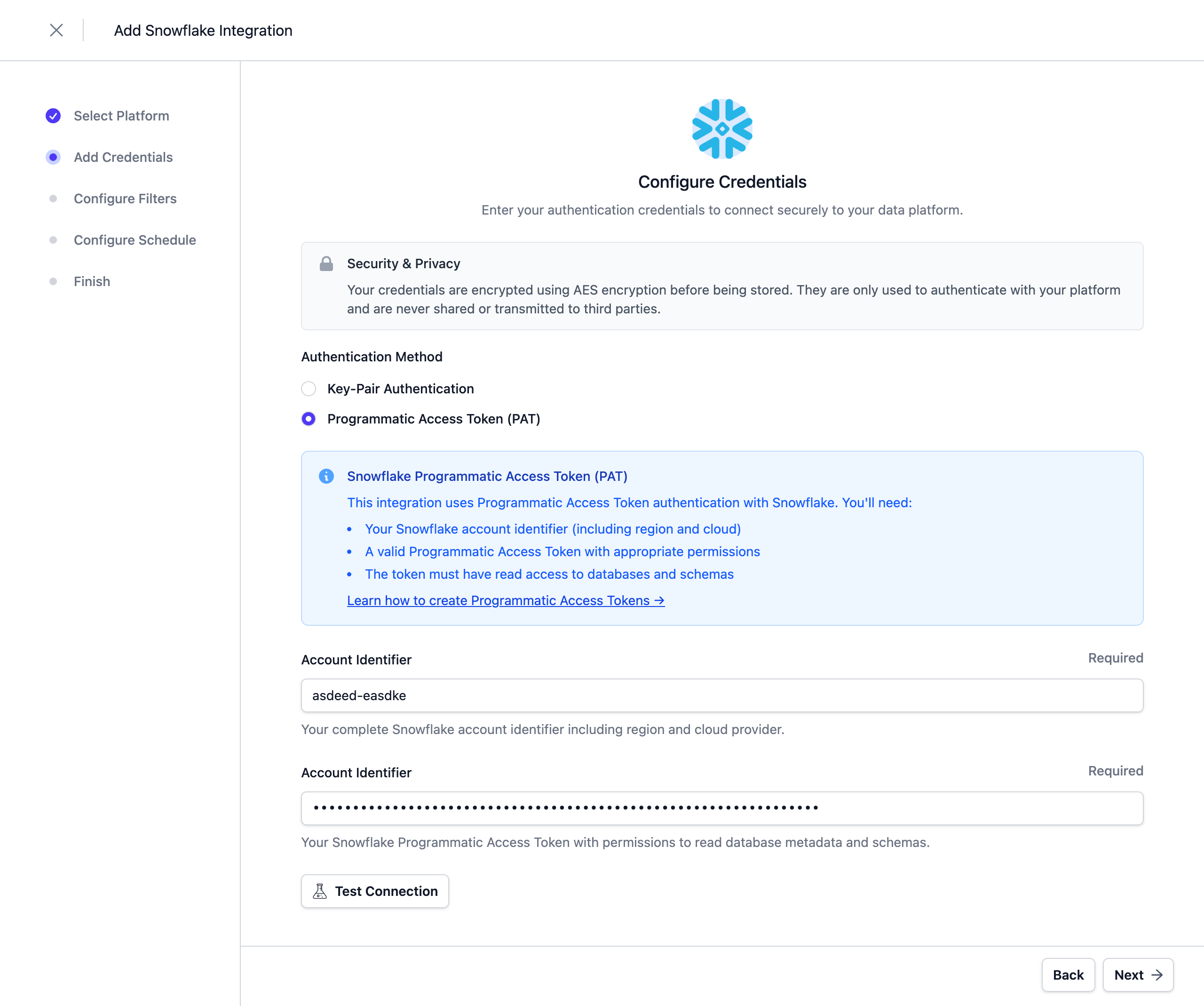
Configure the Credentials
At the moment, Programmatic Access Tokens and Key Pair Authentication are supported as authentication methods. Refer to the Snowflake documentation - Key Pair Authentication or Programmatic Access Tokens for more information.
Note: Credentials are stored encrypted in the Entropy Data database. To enable encryption in your environment, set a 64 hex character
APPLICATION_ENCRYPTION_KEYSin your environment (see Configuration).
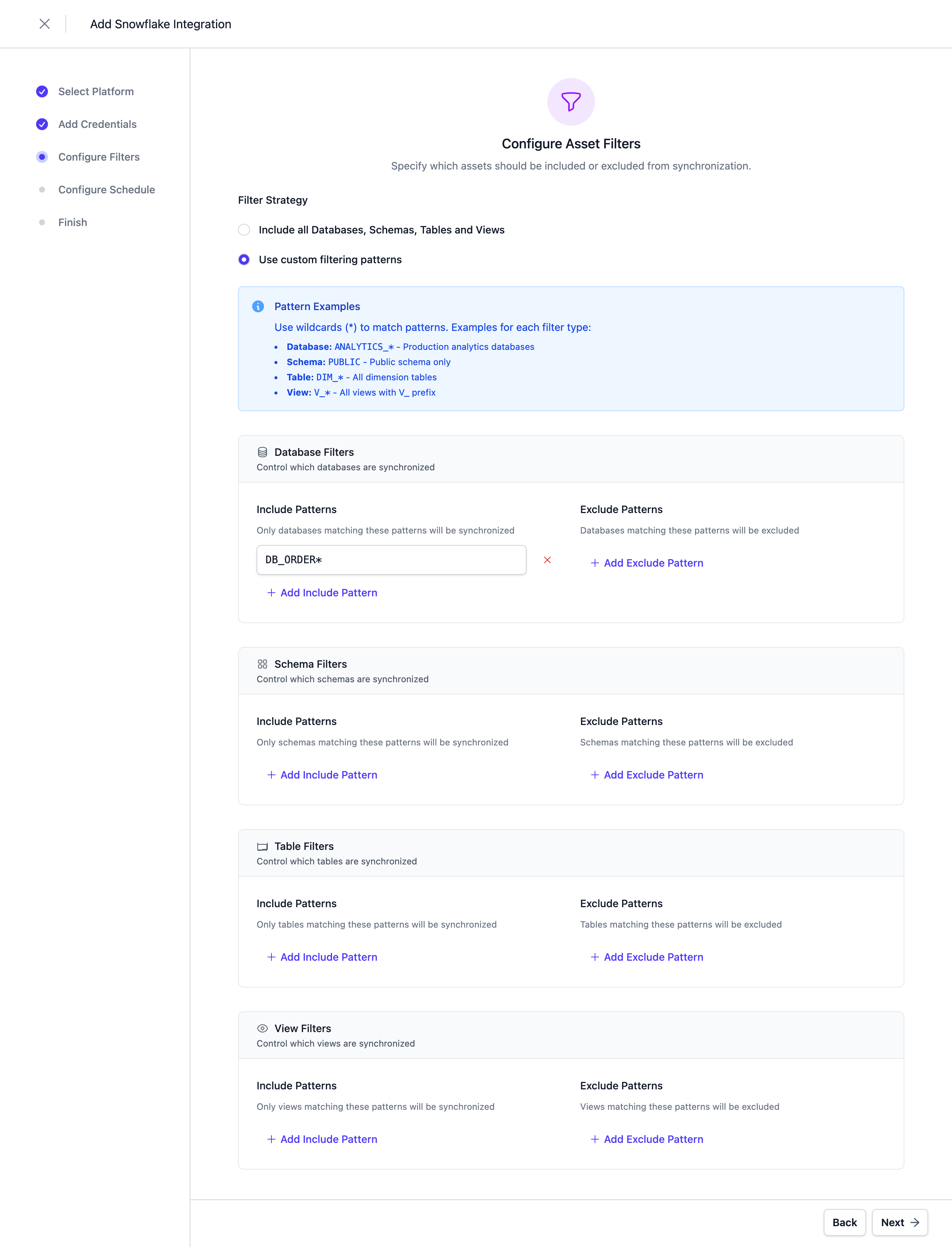
Configure Filters
Configure filters to limit which assets are synchronized. Both include and exclude filters are supported. For Snowflake, filters can be applied to Databases, Schemas, Tables, and Views.
Filters support '*' as a wildcard character to match any number of characters.
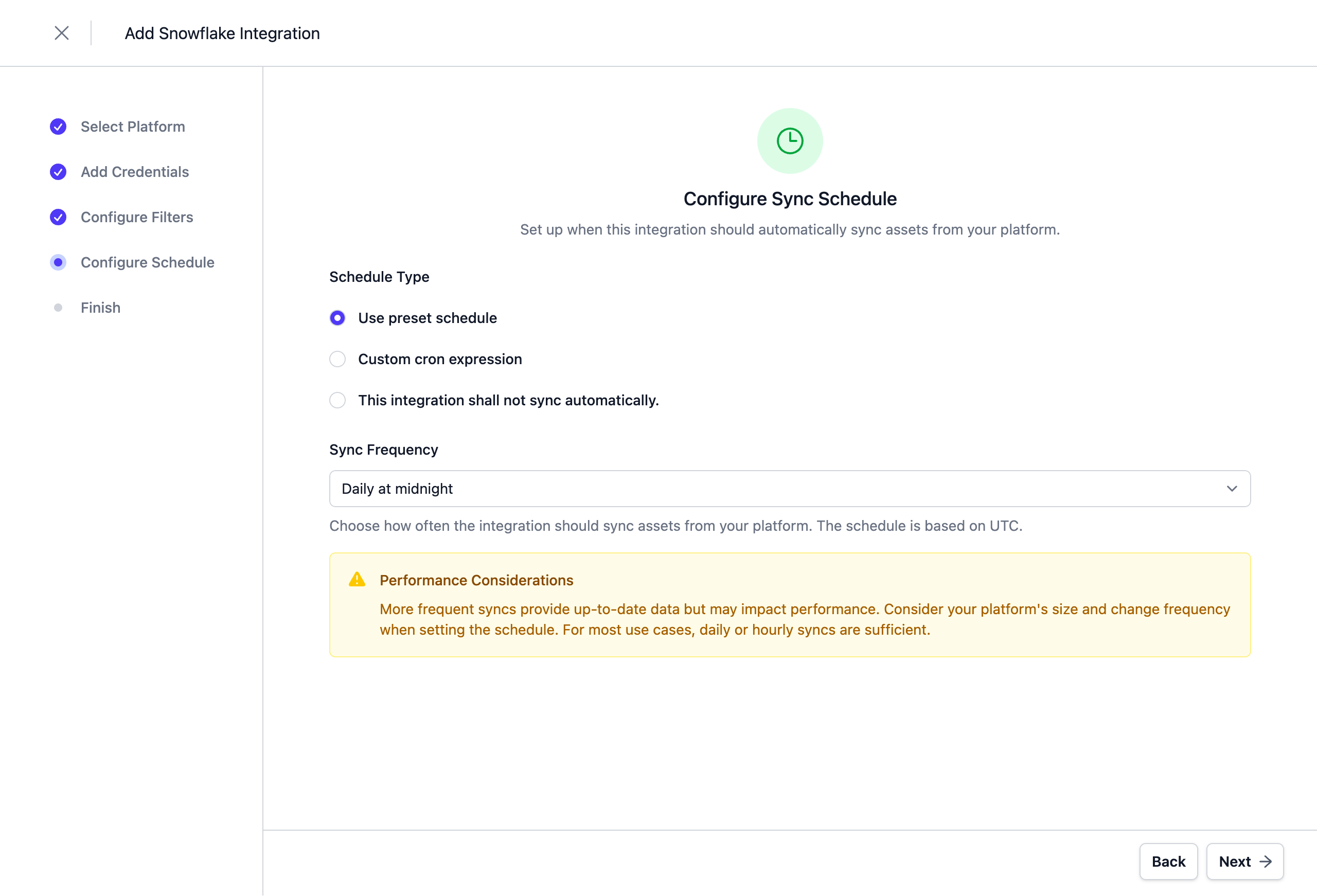
Configure Schedule
Set a schedule to automatically synchronize assets. You can choose from predefined schedules or define a custom schedule using the cron expression format.
Note: All schedules use UTC timezone, so make sure to take this into account when configuring your schedule. Please do not synchronize the assets more than once or twice per day. We reserve the right to disable the integration if this happens. You will be able to trigger a synchronization manually if you need an immediate update.
Complete the Integration Configuration
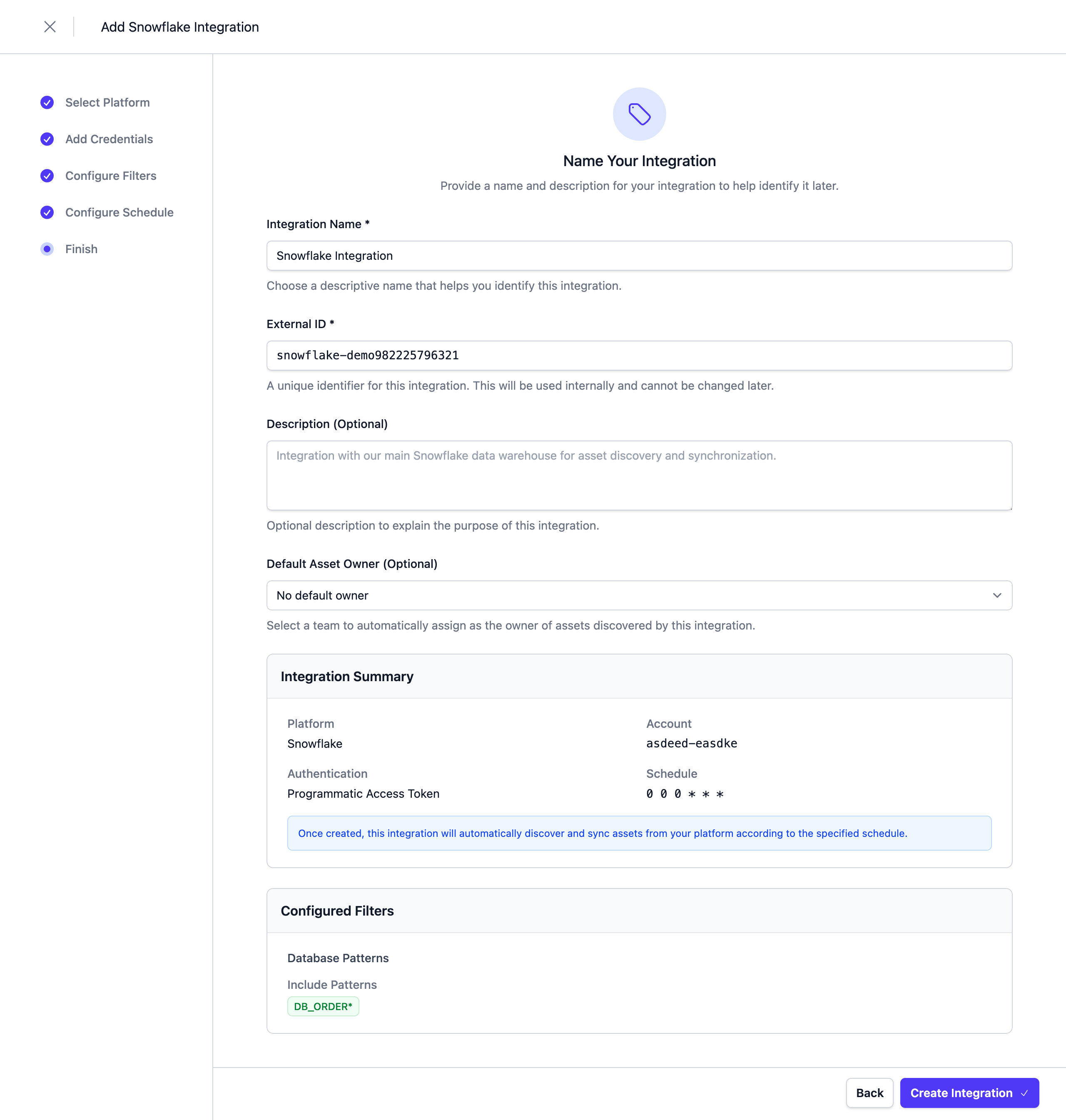
Choose a unique name for the integration, review your configuration, and click Save.
Next Steps
The integration is now configured and will run according to the schedule. To check the integration status, navigate to Settings > Integrations. Here you'll find the current status and the last 10 integration runs.
You can adjust the integration configuration at any time. The configuration is saved in YAML format with syntax validation support in the editor.
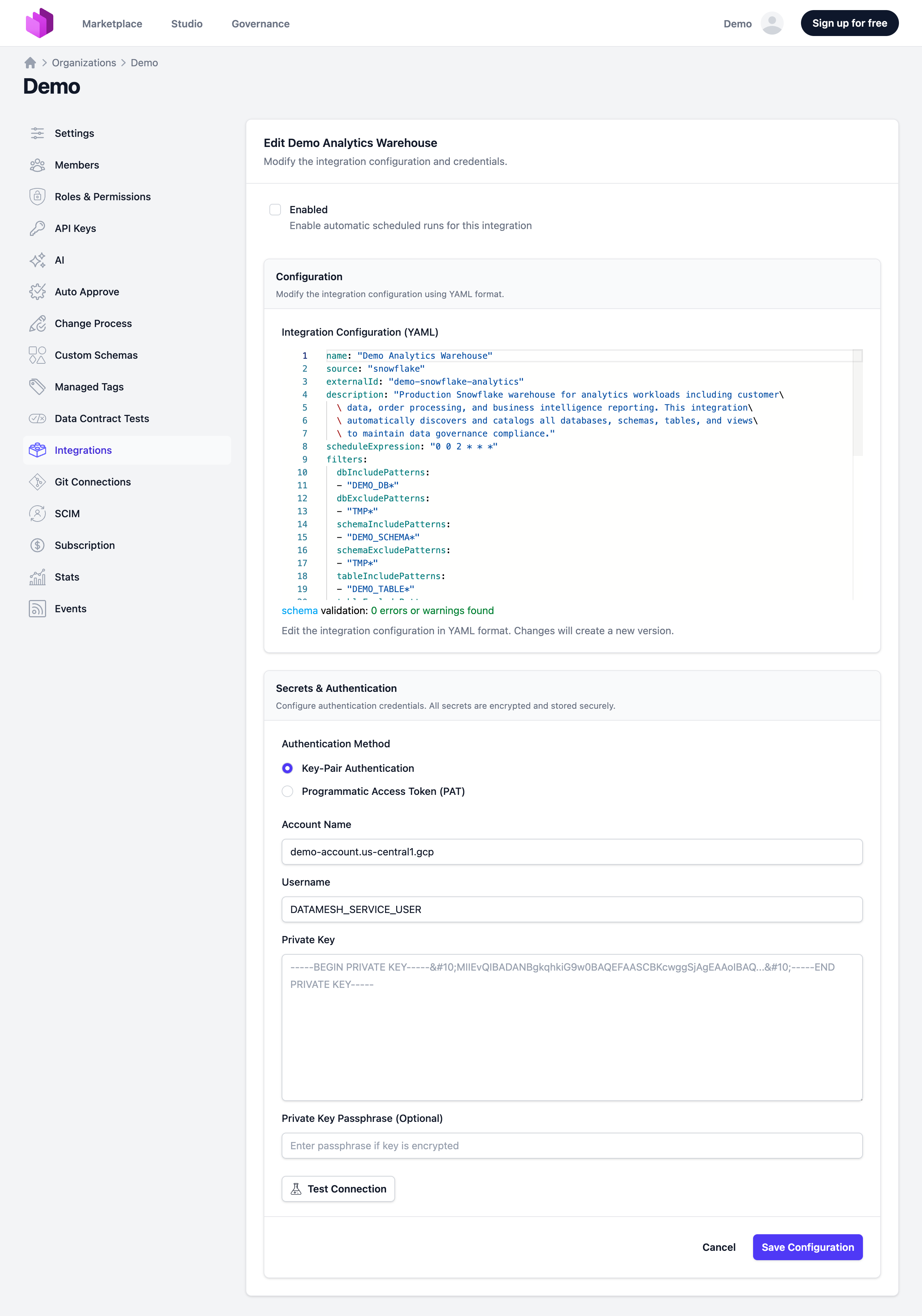
You can also change and test credentials in the edit view.
Note: The previously stored credentials are not displayed in the edit view for security reasons. If you want to change them, add new credentials and save the integration.
Deselecting the Enabled checkbox disables the automatic schedule. Manual integration runs are still possible.
2. Connector-based Integration
The Snowflake Connector is an open-source component that integrates Entropy Data with Snowflake. It is based on the SDK and available as a Docker image. The source code can be forked to implement custom integrations.
Features
- Asset Synchronization: Sync databases, schemas, tables, and views from Snowflake to Entropy Data as Assets.
- Access Management: Listen for AccessActivated and AccessDeactivated events in Entropy Data and grant access on Snowflake to the data consumer.
Links
- Source Code: Entropy Data Connector for Snowflake on GitHub