
Certifications
Define certification tiers to communicate the quality and trustworthiness of your data products.
Certifications let you establish quality tiers (e.g., Gold, Silver, Bronze) that can be assigned to data products. They are visible as badges throughout the platform — in the marketplace, data product lists, and detail pages — giving data consumers a quick way to assess data product quality.
Setting Up Certifications
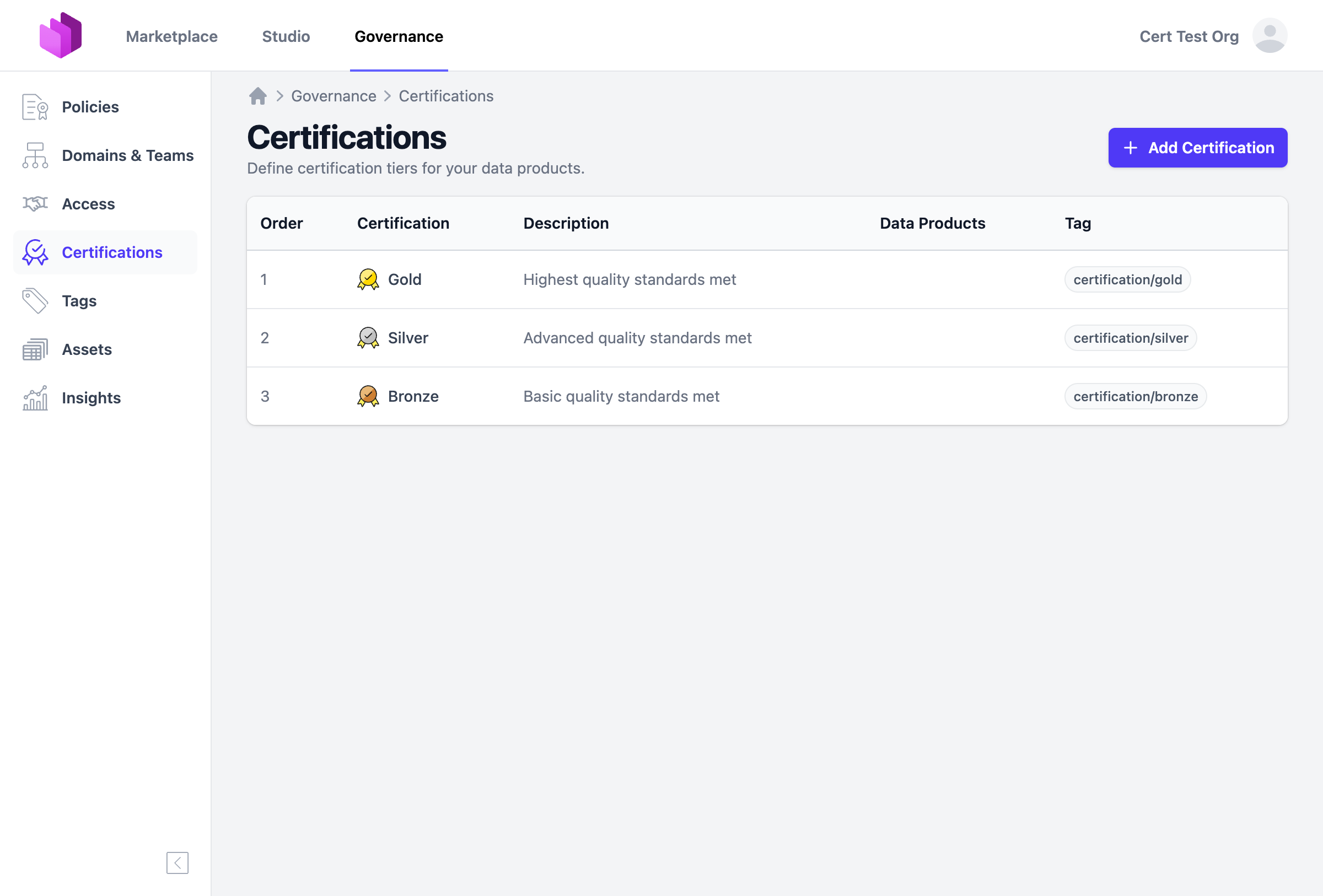
Certifications are managed under Governance > Certifications. When you first navigate to this page, you can create default certification tiers (Gold, Silver, Bronze) or define your own.
Each certification has the following properties:
- Name: The display name (e.g., "Gold", "Silver", "Bronze")
- Rank: A numeric value that determines the order. Lower ranks appear first (e.g., Gold = 1, Silver = 2, Bronze = 3)
- Description: A short description shown on badges and in the data product editor
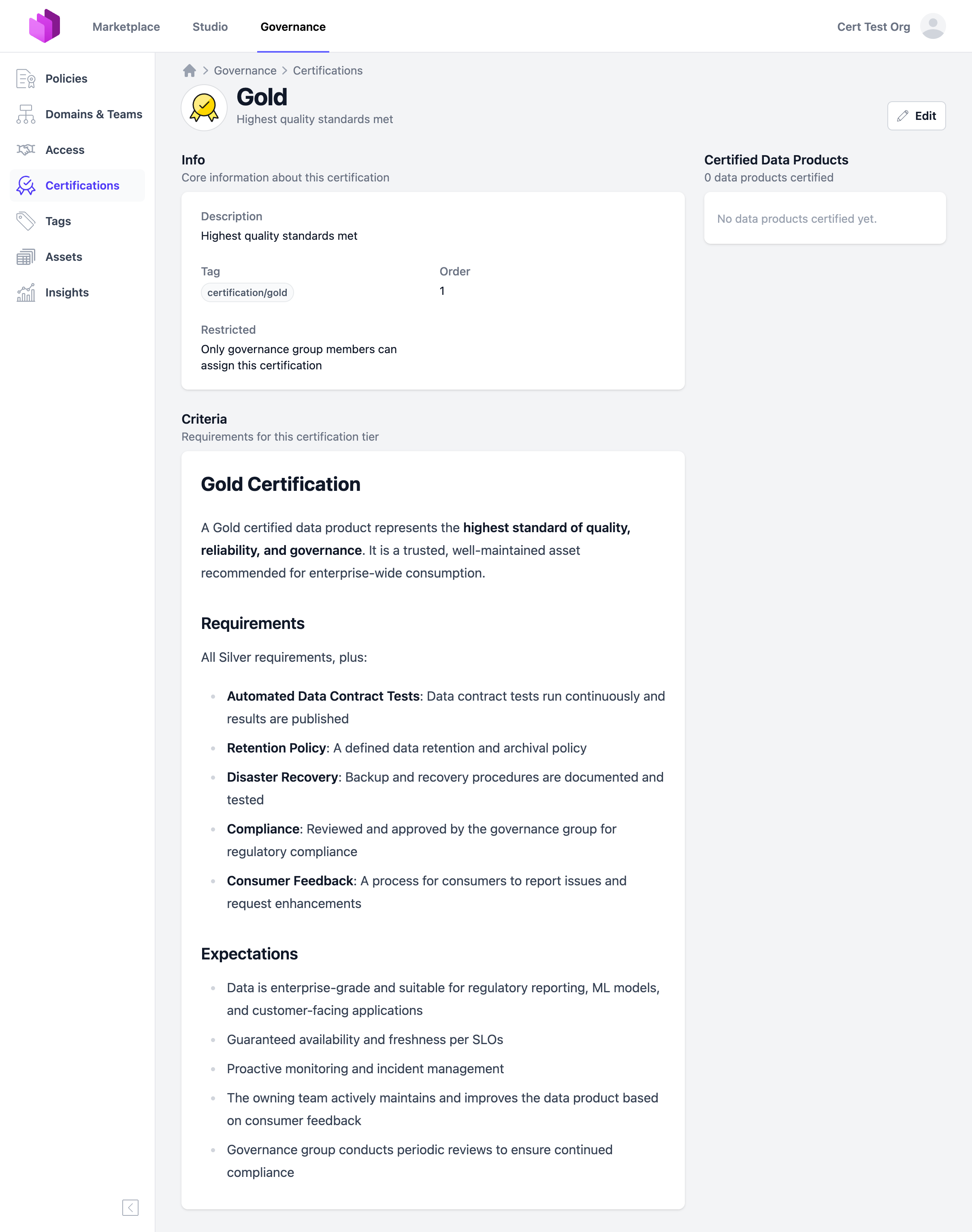
- Criteria: Detailed criteria in Markdown that describe what is required to achieve this certification tier
- Tag: An external tag ID (e.g.,
certification/gold) used to associate certifications with data products - Icon: An inline SVG icon displayed alongside the certification name
- Restricted: When enabled, only governance group members and organization owners can assign this certification to data products
Assigning Certifications to Data Products
Certifications can be assigned in the data product editor under the Certification section. The available certification tiers are shown as selectable cards.
If a certification tier is restricted, it is still visible to all users but can only be selected by governance group members or organization owners. Non-governance users will see restricted tiers as disabled with a lock icon.
When a certification is assigned, a badge appears on the data product in:
- The marketplace
- Data product list views
- Data product detail pages
The badge is clickable and links to the certification details page.
Permissions
Certification management (creating, editing, deleting certification tiers) is restricted to governance group members and organization owners.
Assigning a certification to a data product depends on the certification's Restricted setting:
- Restricted certifications: Can only be assigned by governance group members and organization owners
- Unrestricted certifications: Can be assigned by anyone who can edit the data product
For more details on roles and permissions, see Roles & Permissions.
Default Certifications
Entropy Data provides a set of default certifications that can be created with one click:
| Tier | Rank | Tag | Description |
|---|---|---|---|
| Gold | 1 | certification/gold | Highest quality standards met |
| Silver | 2 | certification/silver | Advanced quality standards met |
| Bronze | 3 | certification/bronze | Basic quality standards met |
You can customize these defaults or create entirely new certification tiers to match your organization's quality framework.