Build a Data Product with an AI Agent
PreviewIf your team builds data products as code (dbt, Databricks) with a coding agent like Claude Code, a Data Product Builder lets the agent generate both the pipeline and the metadata from a data contract — in your existing engineering workflow.
Before you start
- A Data Product Builder is configured for your organization (set up by Governance) and applies to your data product.
- You use a supported coding agent: Claude Code, OpenAI Codex, or GitHub Copilot CLI.
- You have an API key and the entropy-data CLI installed.
Steps
-
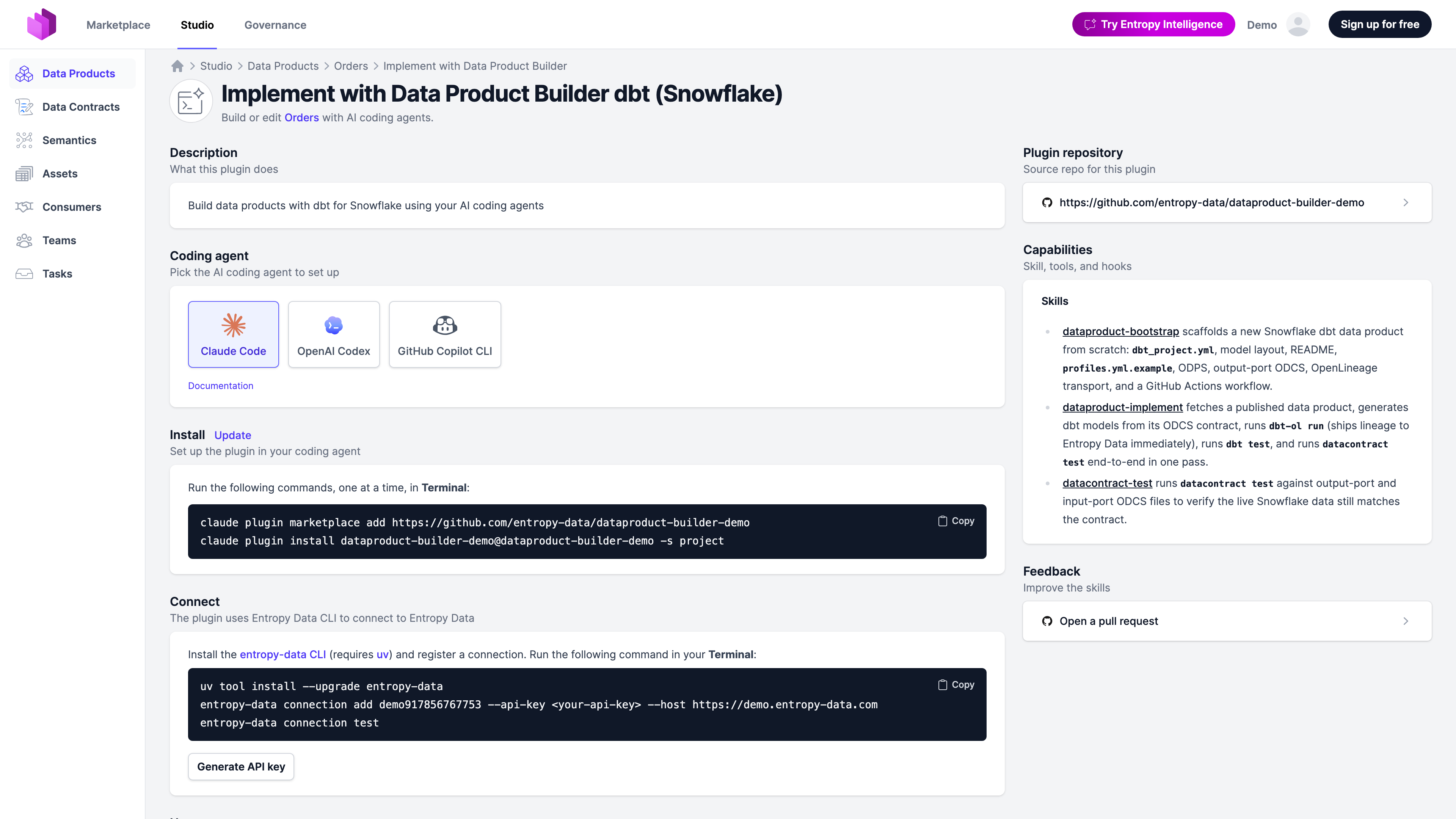
Open your data product in Studio and click Implement with Data Product Builder (in the header, next to Show in Marketplace). This opens the Data Product Builder page. If you don't see the button, no builder applies to this data product yet — ask Governance to configure one.
-
Under Coding agent, pick yours — Claude Code, OpenAI Codex, or GitHub Copilot CLI. The Install and Connect commands update to match.
-
In Install, Copy the plugin install commands and run them, one at a time, in your terminal.
-
In Connect, Generate API key, then run the entropy-data CLI connect command shown to link the agent to Entropy Data.
-
Ask the agent to implement the data product (see the prompts under Usage). It reads the linked data contracts, generates the pipeline, and runs
datacontract testto verify the data matches the schema and quality rules.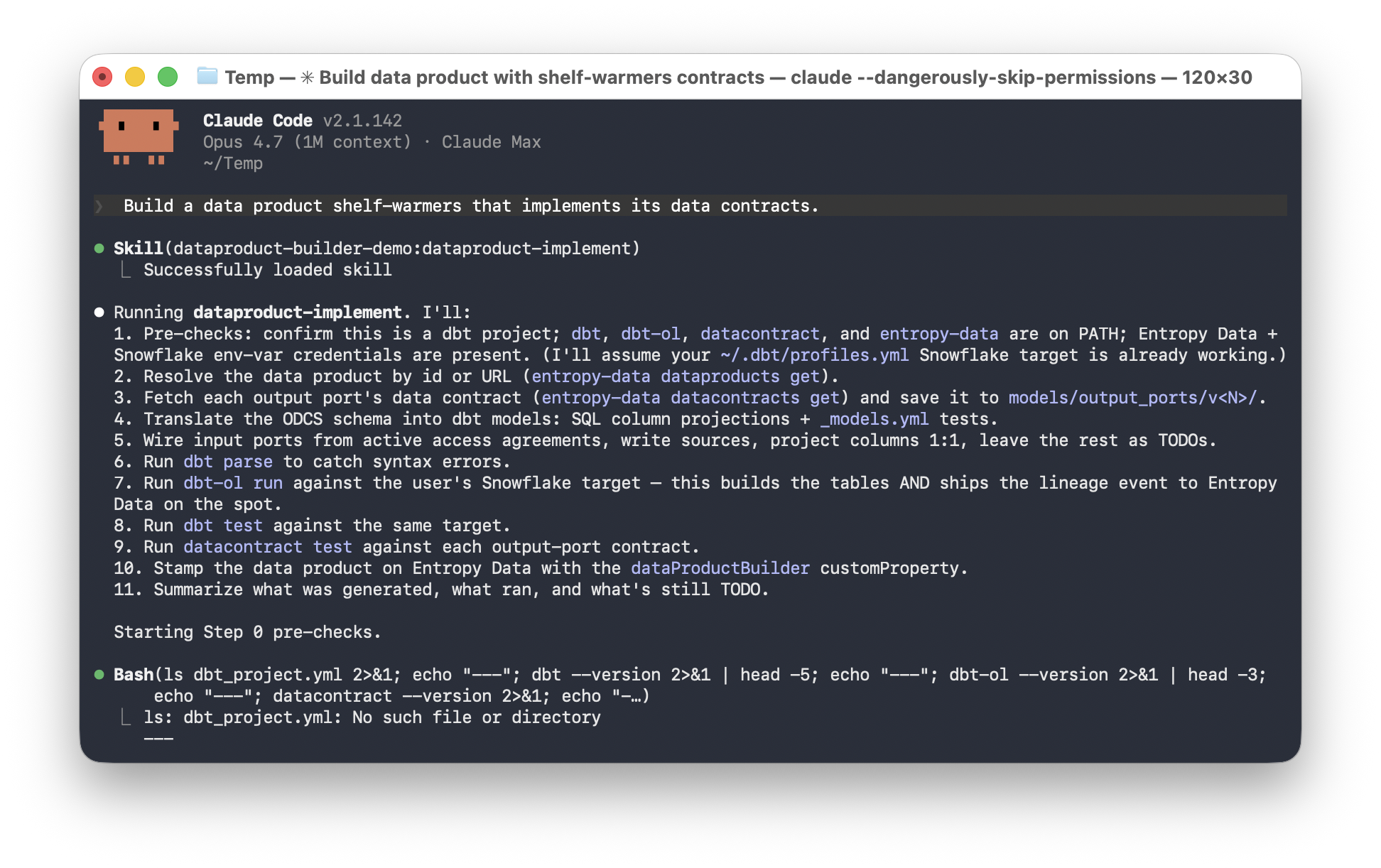
-
The agent ships the change as a pull request. Review and merge it as usual; metadata syncs back to Entropy Data.