
ChatGPT Configuration
Follow these steps to connect ChatGPT to your MCP server.
Important Note
MCP (Model Context Protocol) support in ChatGPT is currently only available in Developer Mode, which requires a paid ChatGPT plan (Plus, Team, or Enterprise). We expect that the process of adding MCP servers will soon be simplified, once the MCP connectors are generally available in ChatGPT.
Setup Instructions
Step 1: Enable Developer Mode
First, you need to enable Developer Mode in ChatGPT's connector settings. This will allow you to add custom MCP servers.
Toggle "Developer Mode" to enable custom connector configuration.
Step 2: Create New Connector
Go to the main Connectors page and click the "Create" button to add a new MCP server connection.
Click the "Create" button to start configuring your MCP server.
Step 3: Configure MCP Server
Fill in the connector configuration form with the following details:
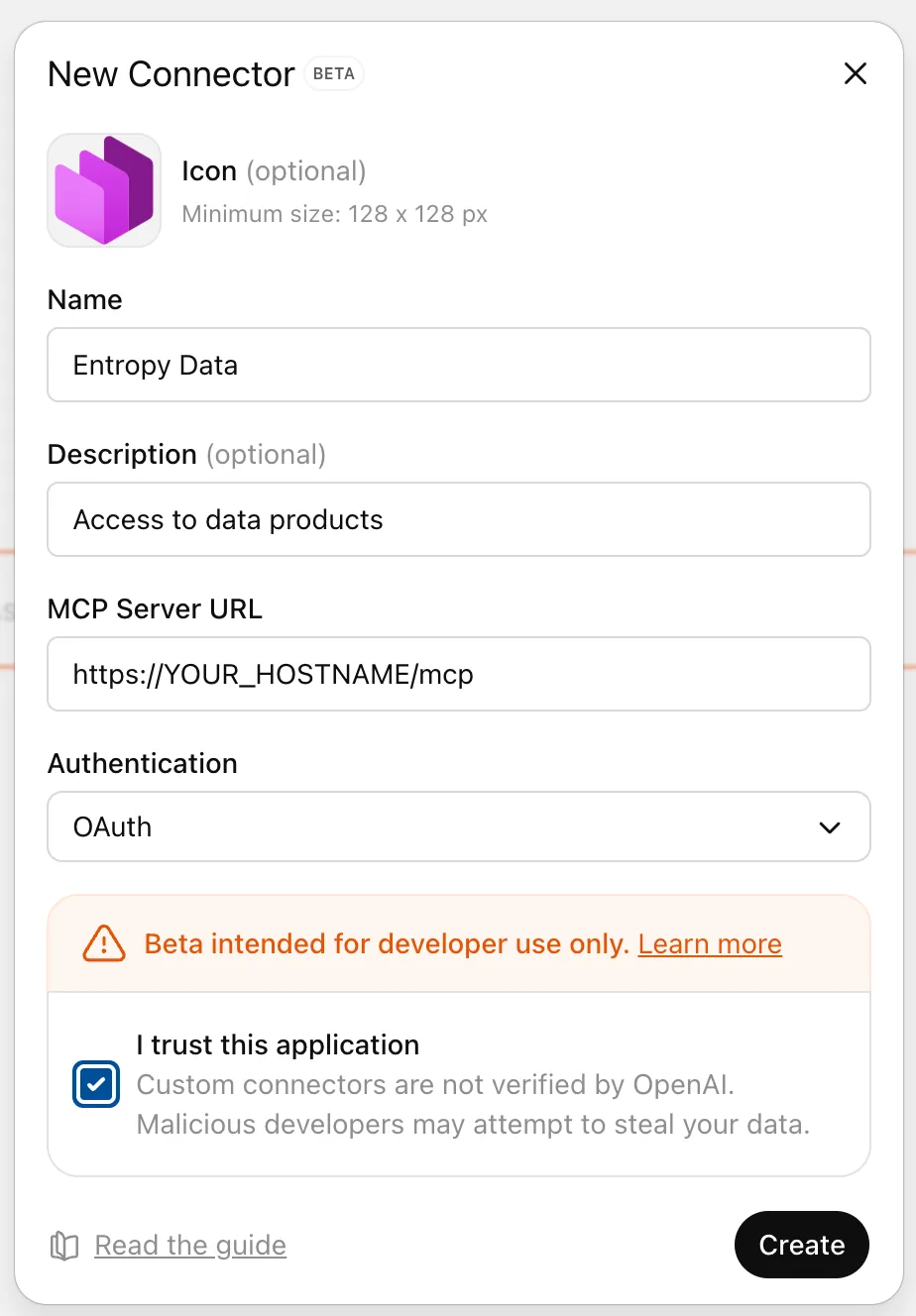
| Field | Value |
|---|---|
| Name | Entropy Data |
| Description | Access to data products |
| MCP Server URL | Your organization's MCP endpoint (will be displayed in the configuration wizard) |
| Authentication | OAuth |
Step 4: Authenticate and Grant Permissions
After adding the MCP server connection, ChatGPT will prompt you to:
- Email token authentication - ChatGPT will require you to authenticate yourself with an email token
- Login to your account - You'll be redirected to log in to your Entropy Data account
- Grant permissions - Review and accept the data access permissions for the MCP server
- Select organization - Choose which organization to connect to
Step 5: Enable Connector in Chat
To use the MCP connector in a chat conversation:
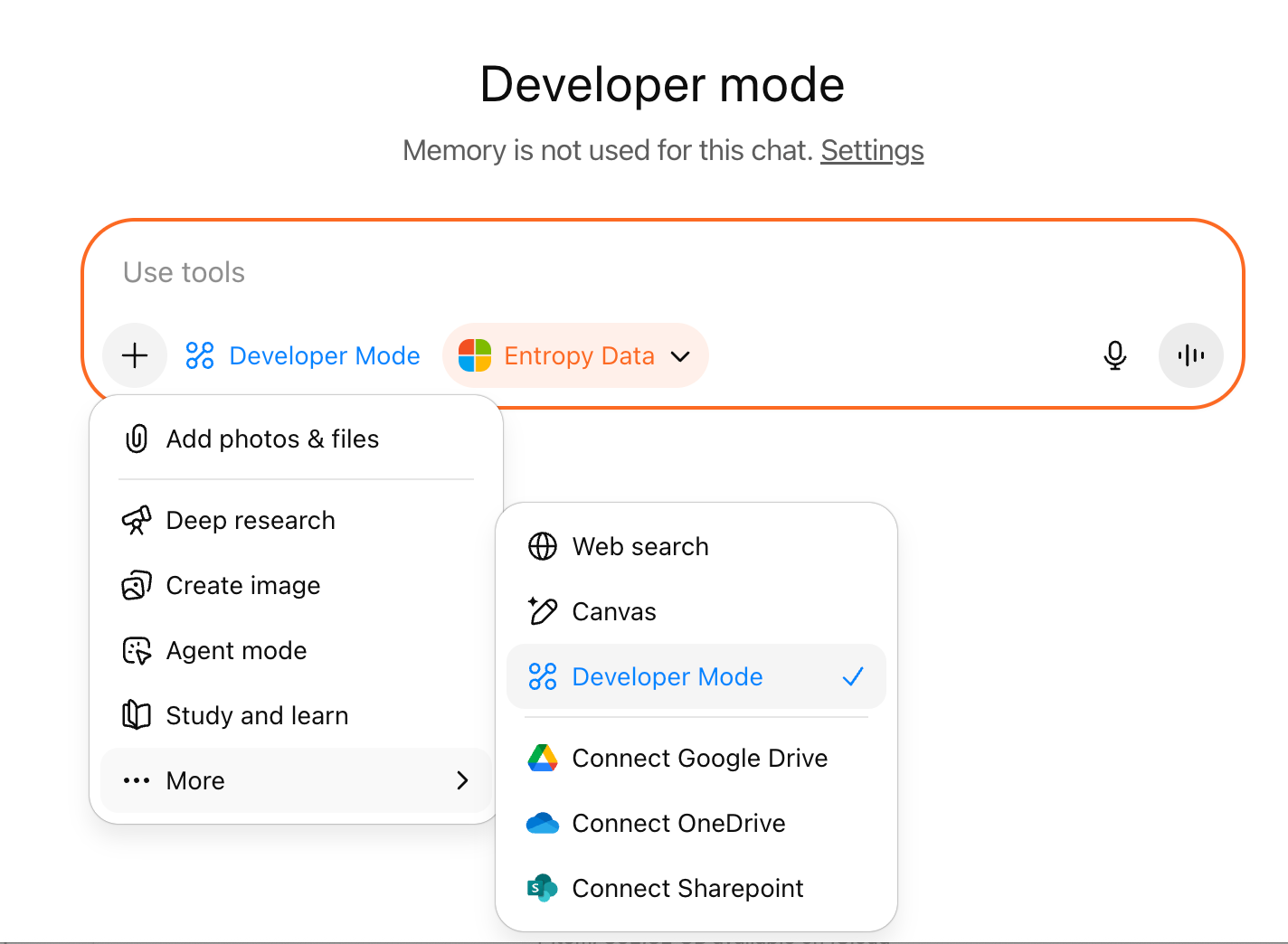
- Click the + icon - In any chat conversation, click the plus (+) icon next to the message input
- Enable Developer Mode - Toggle on Developer Mode if it's not already enabled
- Select Entropy Data - Your "Entropy Data" connector should now appear and be selectable
Once enabled, ChatGPT will have access to your data products and can help you interact with your metadata.
Setup Complete
ChatGPT uses Dynamic Client Registration for each of your users. It will not show up in the list of MCP Clients.